Live shows, movie nights, art openings, private parties, and corporate meetings at 20 N Main St — minutes from the University of Florida and Shands Hospital.
Stay in the Loop
Get the next show, screening, and event announcements sent to your inbox.
Inside the Room
A look at the stage, the floor, and the nights that move through them.

Using The Wooly's Projectors For Business Presentations
A strong business presentation depends on more than polished slides. The room, screen position, lighting, sound, audience sightlines and handover between speakers can shape how confidently people receive the message. At The Wooly in downtown Gainesville, Florida, a flexible event space and professional audio-visual support give businesses more control over these practical details.
The venue is suited to company meetings, training sessions, product launches, panel discussions and presentations attached to a larger event. Its projectors can help turn a presentation into a clear shared experience, whether the audience is seated theatre-style, gathered around tables or moving through a networking programme.
For Australian companies, an overseas presentation may involve extra planning around travel, time zones, remote presenters and brand consistency. A team flying from Melbourne, Brisbane or Sydney needs to know what equipment is available before arriving, especially when the event schedule is tight and presenters are working from different locations.
The Wooly’s position at 20 N Main Street places it near the University of Florida and Shands Hospital, with access to Gainesville’s central business, cultural and education communities. A venue that can combine projection, catering, a full-service bar and a flexible floor plan can make the business event feel cohesive from the first slide to the final conversation.
Match The Screen To The Room
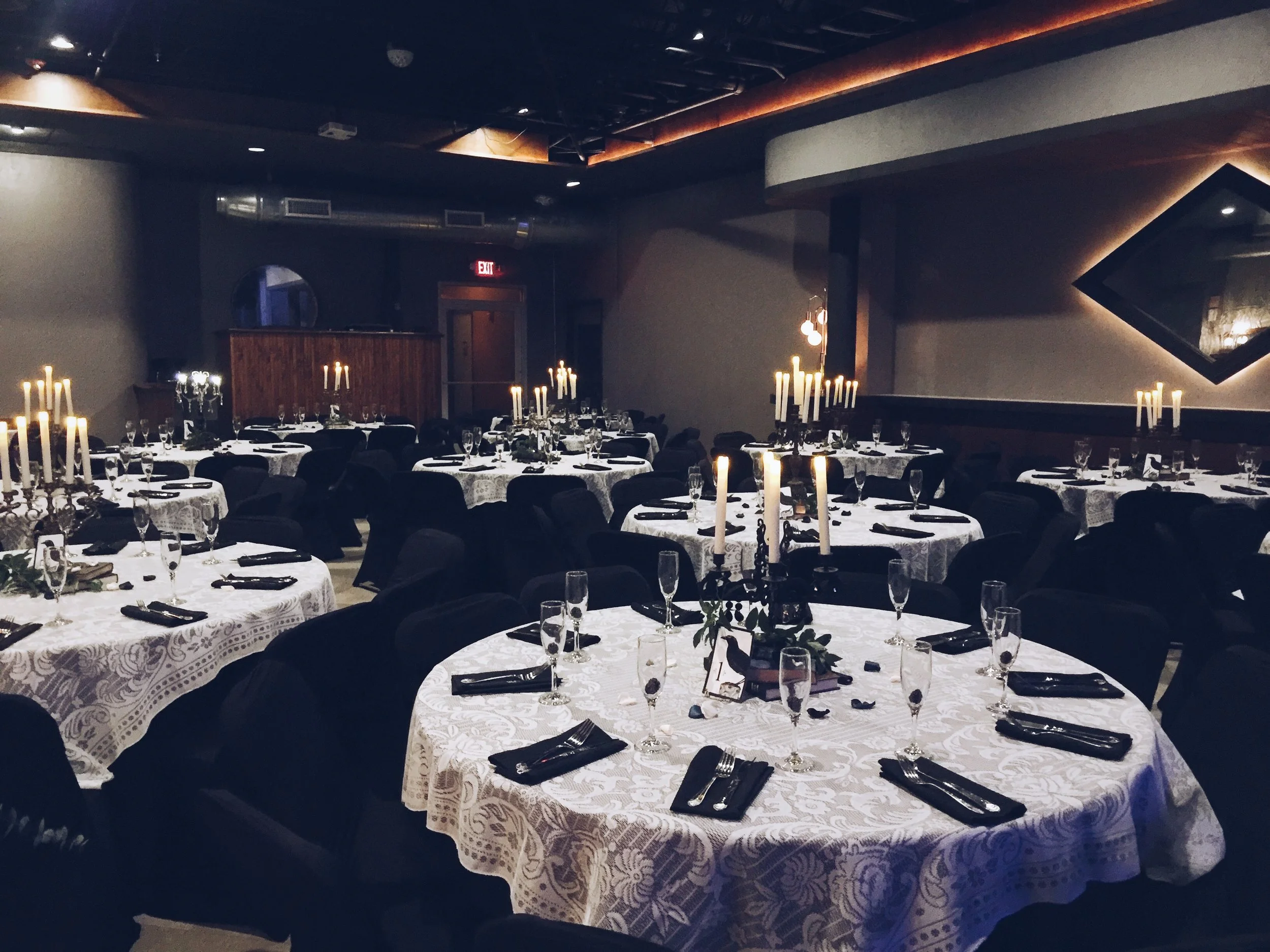
The first decision is the room layout. A projector may perform well technically, yet still be ineffective if attendees sit too far away, if a pillar blocks the image or if tables force people to turn away from the screen. Before finalising the programme, organisers should discuss the expected audience size, seating arrangement and whether the space will be used for presentations, workshops or informal networking.
A theatre-style layout suits a keynote or company briefing because it gives most attendees a direct view. Cabaret or classroom seating can work better for training, though presenters may need more than one visual focal point. When a meeting includes breakout groups, the main projection area should remain visible during transitions so participants can return to the central message without confusion.
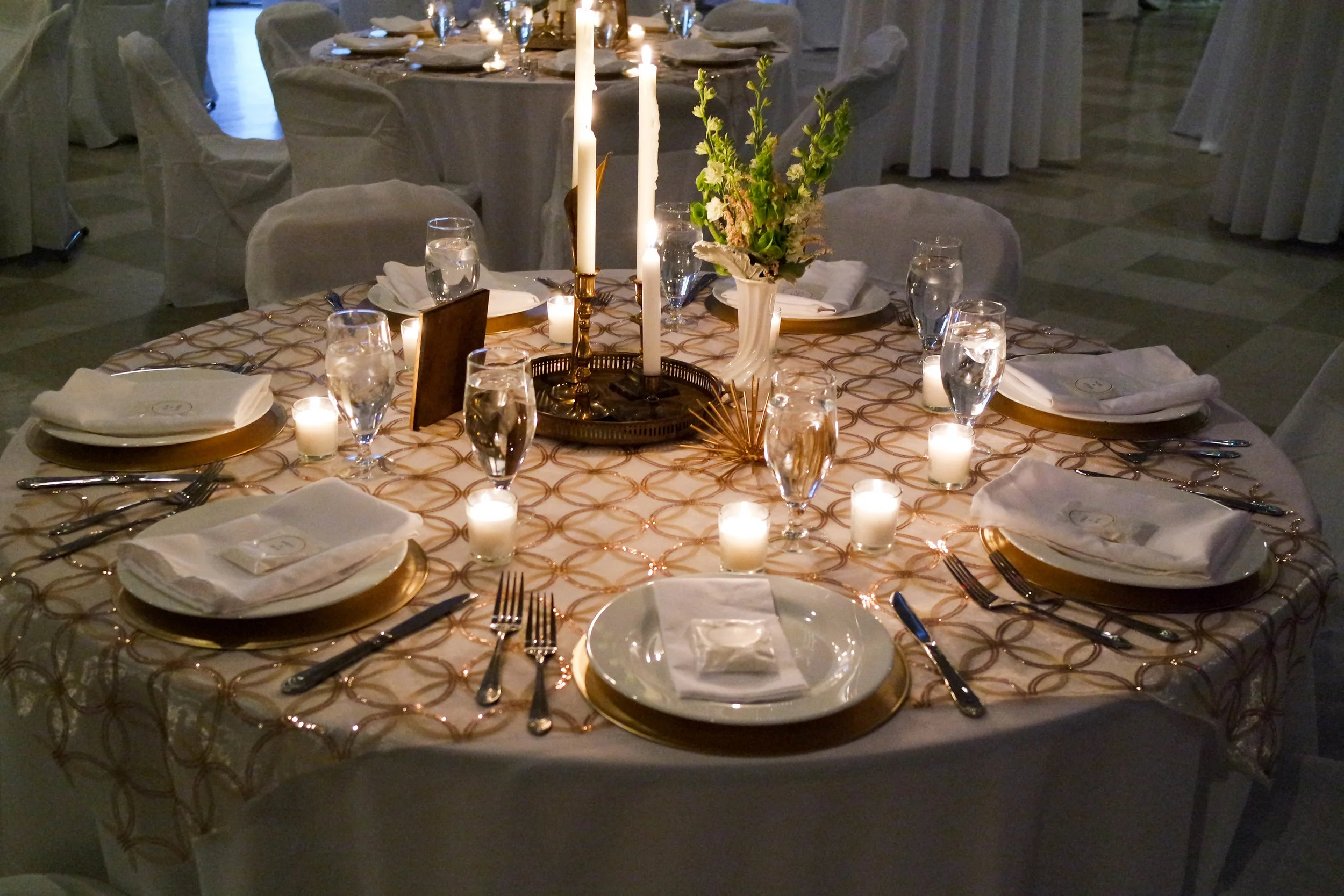
The venue’s adaptable floor plan allows organisers to consider the whole audience experience rather than treating the projector as an isolated piece of equipment. For a private corporate function, the event space details can help planners assess how presentation areas, catering and social zones might work together.
Prepare Slides For Large-Format Projection
Slides designed for a laptop screen often become difficult to read when projected across a large room. Body text should be generous in size, headings should be brief and charts should use clear labels. A detailed spreadsheet may look acceptable during rehearsal but become a blur once viewed from the back row.
High contrast is especially important. Dark text on a light background, or light text on a dark background, usually provides a stronger visual result than subtle grey-on-grey branding. Australian businesses often work with carefully defined brand palettes, but strict colour matching should not take priority over legibility. A slightly adjusted brand colour is preferable to an unreadable slide.
Images and video need their own checks. A compressed promotional clip may look grainy when enlarged, while a video with embedded dialogue can create sound problems if the presentation computer, venue system and file format do not work together. Bring presentation files in more than one format, keep videos in a separate folder and store a backup in secure cloud storage.
Build A Reliable Presentation Handover
Presenters should know who controls the slides, who advances them and who manages questions. A clear handover prevents the familiar pause in which one speaker searches for the right cable or tries to reconnect a laptop while the audience waits. If several people are presenting, one operator can manage the deck while speakers focus on delivery.
Remote contributors need a separate plan. A presenter joining from Australia may be dealing with a large time difference, depending on the season and the location. Gainesville operates on Eastern Time, while Sydney, Melbourne and Brisbane operate several hours ahead, with daylight-saving differences affecting the gap. A rehearsal should confirm the local start time for every participant rather than relying on informal calendar assumptions.
The organiser should test screen sharing, video playback, microphones and any remote meeting platform in the actual room. It is useful to nominate a technical contact who can make decisions quickly if a file fails or a remote speaker drops out. Professional audio-visual support can reduce these risks, but it works best when the presentation team supplies files and instructions early.
Use Visuals To Support The Business Message
Projection is most effective when it supports a simple narrative. A sales presentation might move from a market problem to customer evidence, then to the proposed solution and commercial next steps. A training session may need diagrams, live examples and short recap slides. The screen should reinforce what the speaker is saying rather than display a paragraph that competes for attention.
Australian audiences are accustomed to direct business communication, practical examples and time-conscious meetings. Whether attendees have travelled from Perth, Adelaide or a nearby US city, they will generally value a presentation that makes its purpose clear early. Showing the agenda, expected outcomes and timing can create confidence, particularly when a session sits between travel, work commitments and networking.
Charts should be readable without verbal interpretation. If a graph shows Australian sales against North American results, label currencies and state the period clearly. A figure in Australian dollars, US dollars or percentages can be misunderstood when the audience is international. Keep terminology consistent, explain abbreviations and avoid assuming that every attendee knows the organisation’s internal language.
Coordinate Lighting, Sound And Movement
Projectors need a controlled visual environment. Strong daylight, decorative lighting or bright fixtures aimed towards the screen can reduce contrast. The production team should examine the room at the scheduled event time because a rehearsal during the afternoon may reveal different conditions from an evening presentation.
Lighting should support both the screen and the speaker. If the presenter stands in darkness, the event can feel flat and the audience may lose visual connection. If the presenter is lit too brightly from behind the screen, the projected image may appear washed out. A balanced setup keeps the speaker visible while preserving enough contrast for slides and video.
Sound needs equal attention. A presentation with a clear image can still fail if the microphone produces feedback or a video soundtrack is too quiet. Australian workplace events often include speakers with different accents, speaking speeds and levels of microphone experience, so a proper sound check is valuable. The presenter should know where to stand, how close to hold a microphone and whether movement is possible without changing volume.
Plan Catering And Networking Around The Deck
The best technical setup can be undermined by poor timing. Food service, coffee breaks and networking should be scheduled around the presentation rather than during the most important slides. The Wooly’s in-house catering and full-service bar make it possible to plan these elements within the same venue, reducing movement between separate locations.
Coffee culture is a significant part of Australian workplace routines, from early flat whites in Melbourne to takeaway coffee during a Sydney commute. For an Australian delegation, a useful break is more than a courtesy; it can help attendees reset after travel or a long session. Place refreshments where people can access them without blocking the screen or creating noise beside the presentation area.
If alcohol is offered after the formal session, separate it clearly from the business content. This is sensible for international guests and supports a professional atmosphere. Organisers should also account for dietary requirements, including vegetarian, vegan, halal and allergy-related requests, and collect this information during registration rather than improvising on the day.
The event budget should show the full cost of the experience: room hire, technical support, catering, travel, accommodation and currency conversion. Australian businesses may need to account for a 10% GST on domestic purchases, while an event held in the United States can involve different tax treatment and invoice requirements. Finance teams should confirm the treatment with their adviser instead of applying Australian assumptions automatically.
Check Accessibility, Safety And Data Handling
Accessibility needs to be included in the presentation design and venue planning from the beginning. Slides should use readable type, sufficient contrast and captions for video where possible. Speakers should describe important visual information aloud, particularly when charts or photographs carry the main meaning of a slide.
Australian organisations are familiar with obligations under the Disability Discrimination Act 1992 and with the expectation that workplaces and public events provide reasonable access. A company bringing staff or clients from Australia should carry those principles into an overseas event, even though the venue will also be working within United States requirements. Ask about step-free access, seating options, hearing support and clear routes before the event plan is fixed.
Work health and safety is another practical consideration. Australian states and territories apply their own WHS legislation, while a Florida event will be governed by local and federal requirements. Equipment cables should be secured, walkways kept clear and temporary staging or display structures checked by the responsible venue team. A visually impressive presentation is not worth creating a trip hazard.
Data protection matters when attendees register, join a hybrid call or appear in recorded footage. Tell guests if the presentation will be filmed, obtain appropriate permissions and avoid displaying confidential customer data on a public screen. For a company handling Australian personal information, the Privacy Act 1988 and the Australian Privacy Principles may still be relevant to how attendee details are collected and transferred, even when the event takes place overseas.
Rehearse The Full Event Experience
A technical rehearsal should follow the same sequence as the real programme. Test the opening slide, speaker introductions, videos, animations, remote connections, questions and closing information. Walk through changes in lighting and seating, and confirm what happens when the presentation ends and the room shifts to drinks, catering or a networking format.
Every presenter should bring a copy of the final deck, but there should be one agreed master version. File names should include the date and version, and outdated decks should be removed from the presentation computer. A PDF backup is useful for preserving layout, while an editable file can help the technical team resolve minor formatting problems.
The rehearsal is also the right time to check sightlines from the back and sides of the room. Ask a colleague to sit away from the screen and report whether text, captions and chart labels can be read. Test the clicker, confirm charging cables and make sure the presenter can move without stepping into the projection beam.
A business presentation at The Wooly can become part of a larger, well-paced event rather than a disconnected slide show. The venue’s main event information provides context for its concerts, screenings, community events and private functions, while organisers can shape a corporate programme around the available space and support.
A projector is a communication tool, not the presentation itself. Clear slides, a tested technical workflow, sensible lighting, accessible content, well-timed catering and a confident speaker will determine whether the audience remembers the message. The key detail to remember is simple: plan the room and the audience experience with the same care given to the deck.
Follow the Calendar
News, ticket links, and last-minute additions posted across our channels.
Explore the Venue
Five pages covering the full run of programming and private bookings.
Browse the schedule for movie showings, live music, and art shows.
Weddings, holiday banquets, cocktail parties, and anniversaries.
Meetings, networking, luncheons, and fundraisers with AV support.
Concerts, film screenings, art showcases, and community pop-ups.
Photos from past concerts, private functions, and gatherings.