Live shows, movie nights, art openings, private parties, and corporate meetings at 20 N Main St — minutes from the University of Florida and Shands Hospital.
Stay in the Loop
Get the next show, screening, and event announcements sent to your inbox.
Inside the Room
A look at the stage, the floor, and the nights that move through them.
Planning a photo booth at The Wooly
A photo booth at The Wooly can turn a live music night, film screening, art opening, wedding, private celebration, or corporate gathering into a shared keepsake experience. Downtown Gainesville gives the venue a lively setting, while its flexible floor plan makes it possible to create a dedicated capture area without limiting the rest of the event. The key is to make the booth feel integrated rather than parked in a corner.
Good planning starts with the guest journey. Every extra step—from finding the backdrop to choosing a filter, collecting prints, or loading a digital image—can slow the room down. Equipment, staffing, power, lighting, queue management, and content sharing therefore need to be considered together. The result should feel simple to guests and straightforward for the people running it.
Australian event planners and guests will recognise many of the conventions: a lively backdrop, playful props, instant prints, and a table of wedding favours. A few American details also deserve attention, particularly power standards, vendor pricing, and the fact that a “BYO” arrangement is not assumed at a venue with a full-service bar. Clear coordination prevents those differences from becoming problems on event day.
Set the booth’s role before choosing equipment
Begin by deciding what the capture station is meant to achieve. A wedding might prioritise group portraits, instant keepsakes and digital sharing, while a corporate meeting may need branded images, staff photographs and a downloadable gallery. A live event could use a simpler unattended setup, whereas a private party may benefit from an attendant who helps guests pose and manage prints.
Choose between a self-service kiosk, a staffed portrait station, or a hybrid arrangement where staff guide the experience and guests can also operate parts of it. Think about how long each image should take. A straightforward sequence of entering, posing, previewing, printing and collecting keeps the queue moving, but added features such as GIFs, AI backgrounds or multiple cameras require more time and technical support.
Confirm room capacity, load-in arrangements, permitted equipment and event timing with The Wooly before finalising the design. Current layout, access and booking information is available through The Wooly’s venue details. The venue is at 20 N Main Street, close to the University of Florida and Shands Hospital, so parking, loading and arrival routes may be especially relevant for guests carrying equipment.
Consider the audience when deciding how much guidance to provide. Australian receptions often include guests of different ages, including children and older relatives, so clear instructions matter. Leave space near any favours table for guests to collect their prints, but keep it separate from the main queue to prevent congestion around small gifts and name cards.
Create a smooth guest journey
Design the route into the booth before arranging the backdrop. Guests should be able to see where to join the queue, understand what they will receive and move aside once they have finished. Floor markers can define a waiting area without looking like a formal queue, while the booth itself should have enough clearance for a photographer or attendant to help people with mobility requirements.
The first photograph should establish the tone. Use a welcome sign or short screen prompt that explains the process, and allow enough time for guests to settle in rather than rushing them through a prop. If the event has a dress code, choose backgrounds and props that suit it. An art opening might use a restrained graphic backdrop, while a birthday celebration could feature brighter colours and a changing selection of accessories.
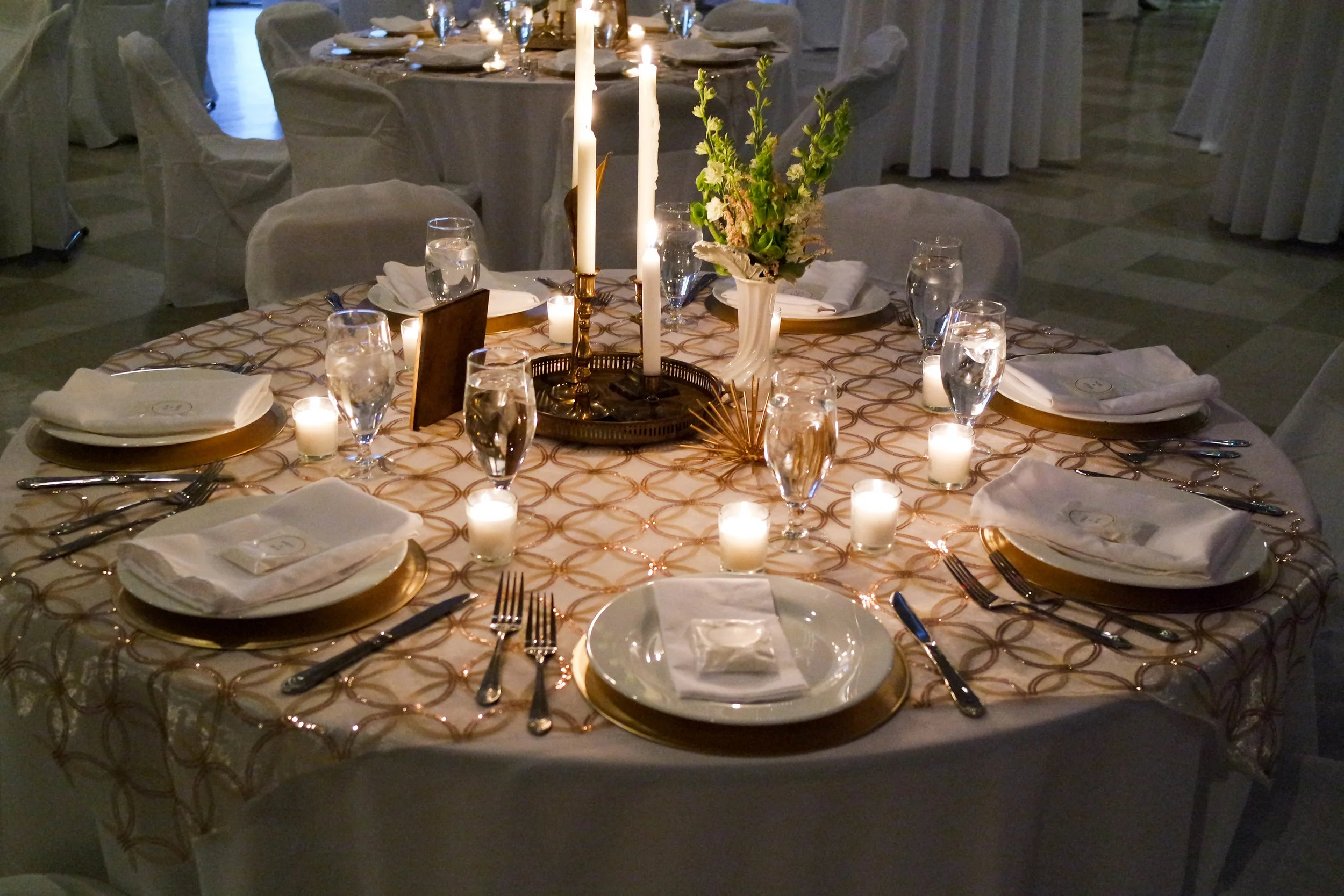
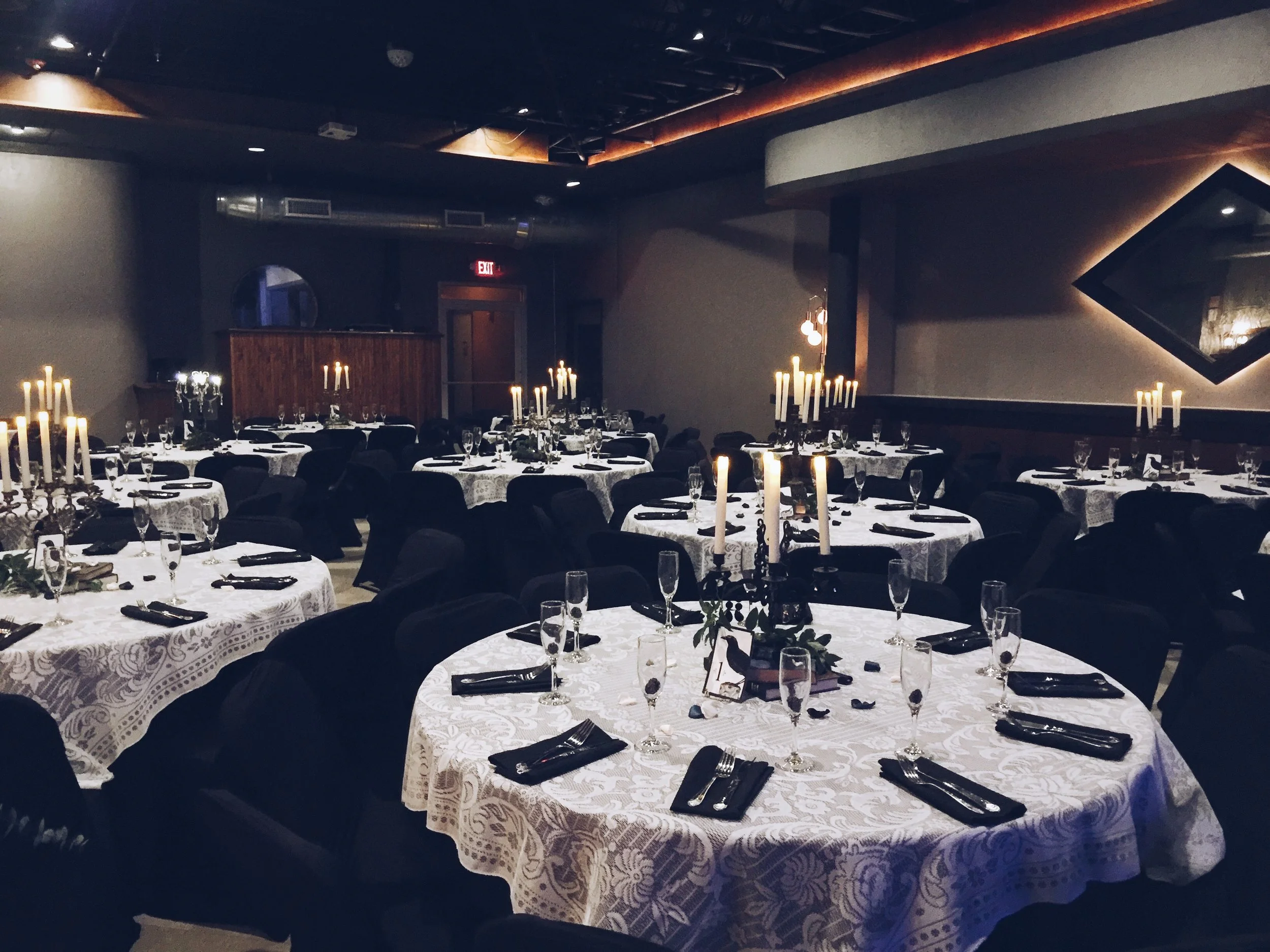
A look at recent event photos can help planners understand the venue’s atmosphere, lighting and visual character before choosing booth finishes. Keep the installation complementary to the room. If the surrounding event already contains large screens, bright colours or extensive branding, a simpler backdrop may create a better visual balance.
Plan the collection method as carefully as the camera. Instant prints can be placed in an envelope or handed directly to guests, while digital images may be delivered through a QR code, short link or staff-curated gallery. Explain whether photographs will be published on social media, how long the online gallery will remain available, and whether an attendant can retake an image if someone is unhappy with it.
Select the right equipment and guest-facing details
The best setup depends on the atmosphere and the number of images required. A camera with dependable low-light performance, controlled lighting and a locked-off mount will usually deliver more consistent results than an unsecured phone. More elaborate lighting, projection or sound installations may justify professional production support, and a supplier such as MJD Vent can be considered for those specialist elements.
Equipment to bring
- A camera, tested lens and stable mounting system with a backup recording option
- Soft, adjustable lighting positioned to avoid harsh shadows and reflections
- A reliable printer with spare ink, paper, rolls and a tested replacement cable
- Cable covers, extension leads, power strips and a battery-powered backup option
- A laptop or media player containing offline signs, filters and digital-sharing assets
Guest-facing details
- A backdrop, floor sign and simple instructions displayed before the queue begins
- Props that match the event, with enough variety for children, adults and groups
- Clearly stated print limits, digital-delivery method and photo-sharing consent
- An accessible camera height, reachable controls and an uncluttered turning area
- A collection point that does not block exits, catering routes or the bar queue
Build the installation from real sample images rather than the supplier’s ideal specifications. Test skin tones, dark clothing, glasses, group portraits and the brightest lighting used in the room. Confirm that every filter works offline and that the printer remains connected without a phone or internet connection.
Keep spare consumables organised in a closed case and assign someone responsibility for checking them at opening, during the event and near the finish. Replace paper and ink before a shortage creates a visible delay. The technical kit should also include basic tools, adhesive that will not damage surfaces, and a method for securing loose cables without creating a trip hazard.
Plan power, sound and the physical footprint
Mark the booth’s full footprint on the room plan, including the queue, attendant position and guest exit route. The equipment enclosure should not block an emergency exit, obscure a stage or interfere with catering and bar service. If the venue is also preparing a dance floor, account for changing light levels and sound conditions rather than testing the camera only in a bright, empty room.
Power requires particular care when equipment is travelling from Australia. Australian mains electricity is generally 230 volts at 50 hertz with Type I plugs, while Gainesville uses 120 volts at 60 hertz with Type A sockets. Many modern cameras, printers and computers accept 100–240 volts and 50/60 hertz, but that must be checked on each device; a plug adapter does not convert voltage. High-power appliances and equipment with single-voltage power supplies should remain in Australia or receive suitable professional support.
Keep electrical work inside the venue’s rules and have venue staff identify approved outlets. Run cables along walls or under fitted cable covers rather than across the main guest route. Audio should never compete with live performers, film sound or presentation speakers. If music is part of the booth, it should be low enough for conversation and positioned so waiting guests do not block the main sound system.
Measure the area intended for the booth and any nearby refreshment or favours table. When specifying linen for a round table beside the installation, the round table guide provides useful guidance on achieving an even drop. In Gainesville’s heat and humidity, also confirm indoor conditions, ventilation and how equipment will move from loading to the event space without exposure to rain.
Run the print and staffing workflow
A trained attendant can make the difference between an effortless booth and a confusing one. Give this person a clear script, a troubleshooting guide and authority to pause the system when necessary. The attendant should welcome guests, explain the process, assist with props, manage prints and flag technical issues before they affect the queue. For larger events, use two people: one facing guests and another handling digital files, printing and restocking.
Privacy should be built into the process. Guests need to know whether images appear immediately on a public screen, whether staff review them and what happens to abandoned files. Provide an option to skip the booth without drawing attention, and avoid publishing images of children without the appropriate permission. If alcohol is served through the full-service bar, keep props and drink-related messaging separate so the photo area remains suitable for all guests.
Estimate print quantities from expected attendance, group size and the share of guests likely to print. A wedding may need a substantial opening stock for immediate distribution, while a corporate event might prioritise digital delivery and a curated gallery. Calculate spare capacity rather than ordering exactly to the headcount. Reorder early if demand is high, and track how many prints are actually used so future stock levels are more accurate.
Commercial arrangements also differ between the two markets. Australian suppliers commonly quote in AUD and identify GST, while a Florida vendor will usually quote in USD with sales tax, service charges or other fees shown separately. Compare the total cost and payment schedule rather than relying on the headline rate. Venue insurance, cancellation terms, damage liability and equipment coverage should be confirmed in writing for the supplier, attendant, photographer and any temporary installation.
Rehearse the event and leave a clear handover
Create a run sheet using the venue’s local clock and Eastern Time. Include supplier arrival, access checks, installation, camera testing, printer testing, backdrop assembly, staff briefing, guest opening and the agreed pack-down time. If Australian guests are arriving from Sydney, Melbourne or another Australian city, avoid placing an important group-photo session immediately after a long-haul flight. An “arvo” welcome may be familiar, but the run sheet still needs precise ET times to prevent confusion.
Run a complete test with a real guest journey, from queue entry to digital delivery. Check exposure, framing, prop placement, print quality and the time required for each person. Invite several people with different ages and mobility needs to try the station, then document any changes. Keep a small backup kit containing a tested media device, printer supplies, cables and an offline copy of the visual assets.
Prepare a contingency for equipment failure, a delayed supplier, a power interruption or an unexpectedly long queue. Decide which features can be disabled without ruining the experience. For example, digital effects can pause while basic portraits and prints continue. Brief venue staff on who controls the booth, where supplies are stored and which person receives issues requiring a technical decision.
After the event, remove branding, cables and props in the agreed order, then confirm the room has been returned to its required condition. Set a clear date for deleting guest images that should not be retained, and confirm when the digital gallery will close. Send a one-page floor plan showing the booth footprint, power source, queue and accessible route to The Wooly and the supplier, and obtain written approval before releasing the final payment.
Follow the Calendar
News, ticket links, and last-minute additions posted across our channels.
Explore the Venue
Five pages covering the full run of programming and private bookings.
Browse the schedule for movie showings, live music, and art shows.
Weddings, holiday banquets, cocktail parties, and anniversaries.
Meetings, networking, luncheons, and fundraisers with AV support.
Concerts, film screenings, art showcases, and community pop-ups.
Photos from past concerts, private functions, and gatherings.